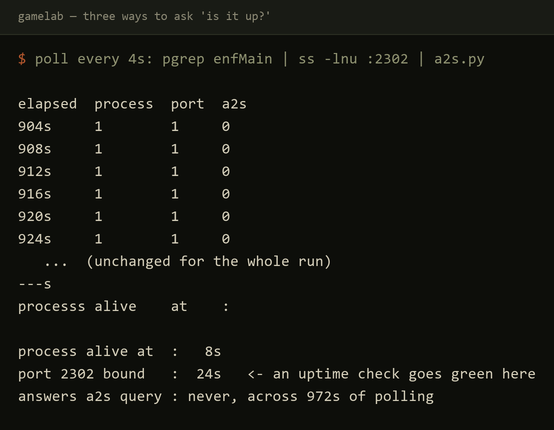
On 2026-08-09, the DayZ server on CT 161 crashed twice. The first crash file I found was 89 bytes. Its entire contents read:
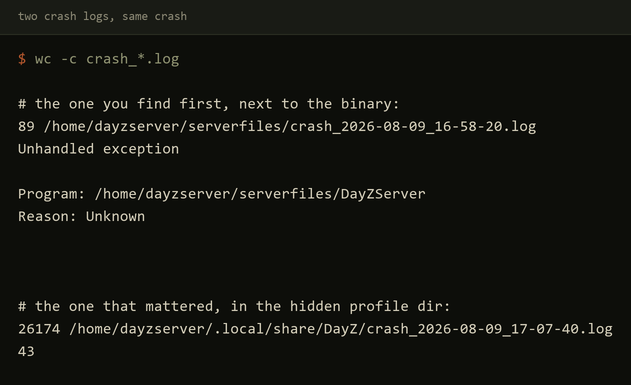
Unhandled exception

Program: /home/dayzserver/serverfiles/DayZServer
Reason: Unknown
That file sits in /home/dayzserver/serverfiles/, right next to the server binary. It is not the crash log that explains anything. The box has three separate log estates, and only one of them held the answer.
Estate one: the LinuxGSM log directory
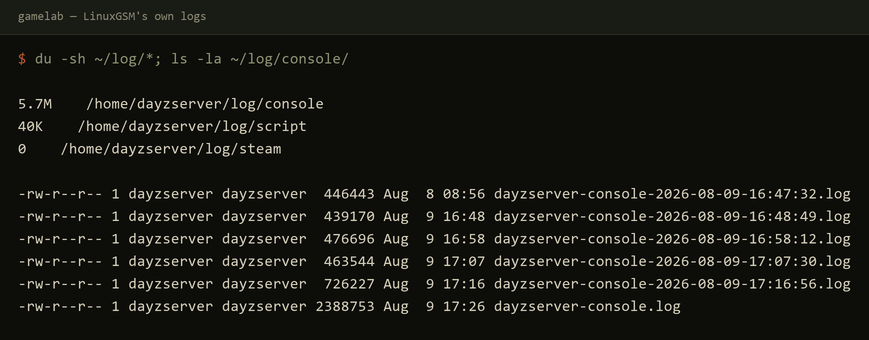
LinuxGSM keeps its own logs under /home/dayzserver/log/. I measured three subdirectories:
console/— 5.7M total. The current console log,dayzserver-console.log, is 2,388,753 bytes. Eight rotated console logs carry timestamps in the filename, ranging from 0 bytes to 726,227 bytes, covering runs on 2026-08-07 through 2026-08-09.script/— 40K total. The current script log is 933 bytes; the rotated ones range from 1,696 to 3,282 bytes.steam/— empty.
The rotation scheme is filename-based, not size-based: dayzserver-console-2026-08-07-17:11:55.log is 0 bytes, dayzserver-console-2026-08-09-17:16:56.log is 726,227 bytes.
Estate two: the hidden XDG profile directory
The game writes its own files into /home/dayzserver/.local/share/DayZ/, a hidden XDG data directory. This is not under serverfiles/ and not under ~/log/. It contains:
.RPTruntime logs — 8 files, with byte sizes: 474,106 / 426,843 / 423,357 / 413,094 / 453,323 / 440,272 / 697,000 / 2,329,685..ADMadmin/player logs — 8 files, every one exactly 124 bytes. The server ran with zero players, so there was nothing for the admin log to record..mdmpminidumps —DayZServer_2026-08-09_16-48-42.mdmp(222,056 B) andDayZServer_2026-08-09_17-07-24.mdmp(155,560 B).- Crash logs —
crash_2026-08-09_16-47-41.log(476 B),crash_2026-08-09_17-07-40.log(26,174 B), andcrash_2026-08-09_17-17-07.log(24,712 B).
The 89-byte file in serverfiles/ is a decoy next to the binary, not the one the process actually uses. The server was launched with the mod set @CF, @Dabs_Framework, @Community-Online-Tools, @VPPAdminTools, @Trader, the five mods running when it crashed, whose memory cost I measured on this same box. For the incident at 17:07:40 on 2026-08-09, the file in the hidden profile directory is 26,174 bytes and contains 43 Virtual Machine Exception blocks. The 16:47:41 crash log contains 0 blocks; the 17:17:07 crash log contains 43. Every one of the 43 blocks is a vehicle failing to load its scripted variables. The counts, by vehicle class, are:
| Vehicle class | Count |
|---|---|
| Truck_01_Covered_Orange | 5 |
| Sedan_02 | 5 |
| OffroadHatchback_White | 4 |
| CivilianSedan_Wine | 4 |
| CivilianSedan_Black | 4 |
| Offroad_02 | 3 |
| OffroadHatchback | 3 |
| Hatchback_02_Black | 3 |
| Hatchback_02 | 3 |
| Truck_01_Covered | 2 |
| Sedan_02_Red | 2 |
| Hatchback_02_Blue | 2 |
| Truck_01_Covered_Blue | 1 |
| Sedan_02_Grey | 1 |
| OffroadHatchback_Blue | 1 |
A single block, verbatim:
------------------------------------
Unknown, 09.08 2026 17:08:44
Virtual Machine Exception

Reason: [EntityAI::OnStoreLoad] :: [WARNING] :: Scripted variables corrupted upon "CivilianSedan_Wine".
Entity will not be loaded correctly.

Function: 'main'
Stack trace:
$CurrentDir:mpmissions/dayzOffline.chernarusplus/init.c:6 Function main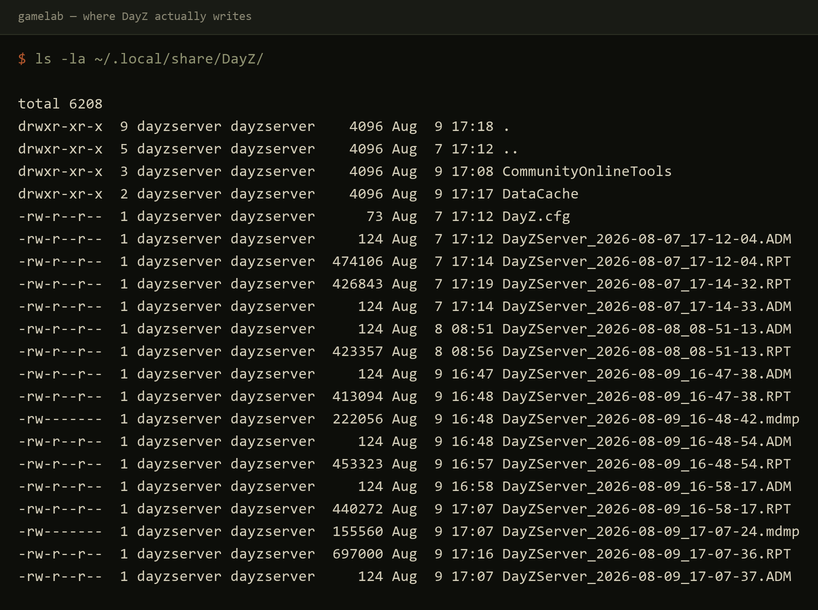
/home/dayzserver/.local/share/DayZ/.Estate three: journald
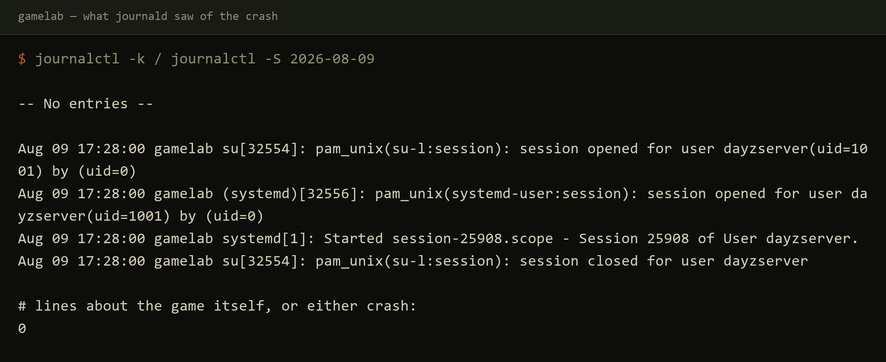
/var/log/journal exists, so journald is persistent, not volatile. journalctl --disk-usage reports “Archived and active journals take up 24.0M in the file system.” /etc/systemd/journald.conf has no active settings; every value is the default.
Two measured findings matter for central log collection:
journalctl -kreturns-- No entries --. This CT is an unprivileged LXC; the kernel belongs to the Proxmox host, so the container has no kernel log of its own.- Across all of 2026-08-09, the only journal lines matching
dayzorDayZServerare systemd session scopes of the formsystemd[1]: Started session-25908.scope - Session 25908 of User dayzserver.There are 75 such lines. There are zero lines recording anything the game did, and zero recording either crash.
The server does not run as a systemd unit. systemctl list-unit-files | grep -i dayz returns nothing. LinuxGSM runs the server under tmux, entirely outside systemd. rsyslog is also absent: command -v rsyslogd returns nothing. The system journal is the only OS-level log source, and it sees nothing from the game.
What a default agent would have shipped
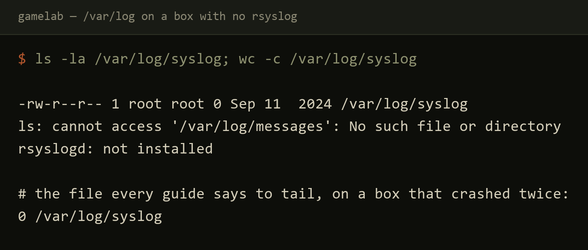
A log management agent pointed at /var/log and journald would have collected none of the three files that mattered. /var/log/syslog exists, is 0 bytes, and has not been modified since Sep 11 2024, the day the container template was built. /var/log/messages does not exist at all. The rest of /var/log is package and login bookkeeping: dpkg.log 244,199 B, lastlog 292,292 B, alternatives.log 13,465 B, wtmp 15,360 B, btmp and faillog both 0 B. The file every tutorial tells you to tail is present, has the right name, and has never had a single byte written to it. journald has no game logs, no crash lines, no kernel log. The only journal entries remotely related are 75 session-scope lines saying a user session started.
The actual evidence lives in three directories under /home/dayzserver/:
/home/dayzserver/log/console//home/dayzserver/log/script//home/dayzserver/.local/share/DayZ/
The 89-byte decoy crash file is a fourth location: /home/dayzserver/serverfiles/crash_*.log. If a collector only watches /var/log and journald, it ships nothing that explains either crash.
What the log management platform must be told to watch
The evidence on this box dictates explicit path configuration. A collector needs to forward, at minimum:
/home/dayzserver/log/console/*/home/dayzserver/log/script/*/home/dayzserver/.local/share/DayZ/*.RPT/home/dayzserver/.local/share/DayZ/*.ADM/home/dayzserver/.local/share/DayZ/*.mdmp/home/dayzserver/.local/share/DayZ/crash_*.log/home/dayzserver/serverfiles/crash_*.log
The serverfiles crash log is the 89-byte stub. It is nearly useless on its own, but it is the one a person finds first. The real crash logs, with the 43 exception blocks, are in the hidden XDG path /home/dayzserver/.local/share/DayZ/. The .RPT files hold the runtime state; the .mdmp files hold the post-mortem. The .ADM files are empty because the server had no players, but they would hold admin action and player connectivity if anyone had joined.
On this box, journald is not the source of truth for application failures. It records that sessions started. It cannot see kernel events because the container has no kernel. A central log management platform collecting from this machine without explicit file globs for /home/dayzserver would produce a dashboard with 75 session-scope lines and no answer for why the DayZ server crashed twice on 2026-08-09.